Rotate PDF
Put your pages the right way up.
Choose files
Drop your files here.
Drag files here, or choose them from your device.
PDF · 50 MB totalYour files stay yours.
A little guidance
How to use this tool
- Choose PDF from your device. Keep the total below 50 MB.
- Review your files and adjust the settings.
- Select “Rotate PDF” and download the finished result.
Formats and limitations
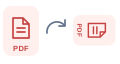
Rotates every page clockwise by the selected angle, relative to its current orientation.
Your originals are unchanged. Results are removed from this page when you leave or reload it.
Questions about this tool
Which files can I use?
PDF. Rotates every page clockwise by the selected angle, relative to its current orientation.
Are my files uploaded?
Files are processed on your device. Their contents are not uploaded to a processing server.
Is this tool free?
Yes. This tool is free to use within the limits shown on this page.